Returns that put money back the way it came.
Return items from any order, including ones bought online, and turn an exchange into store credit. The register always says exactly where the money went.
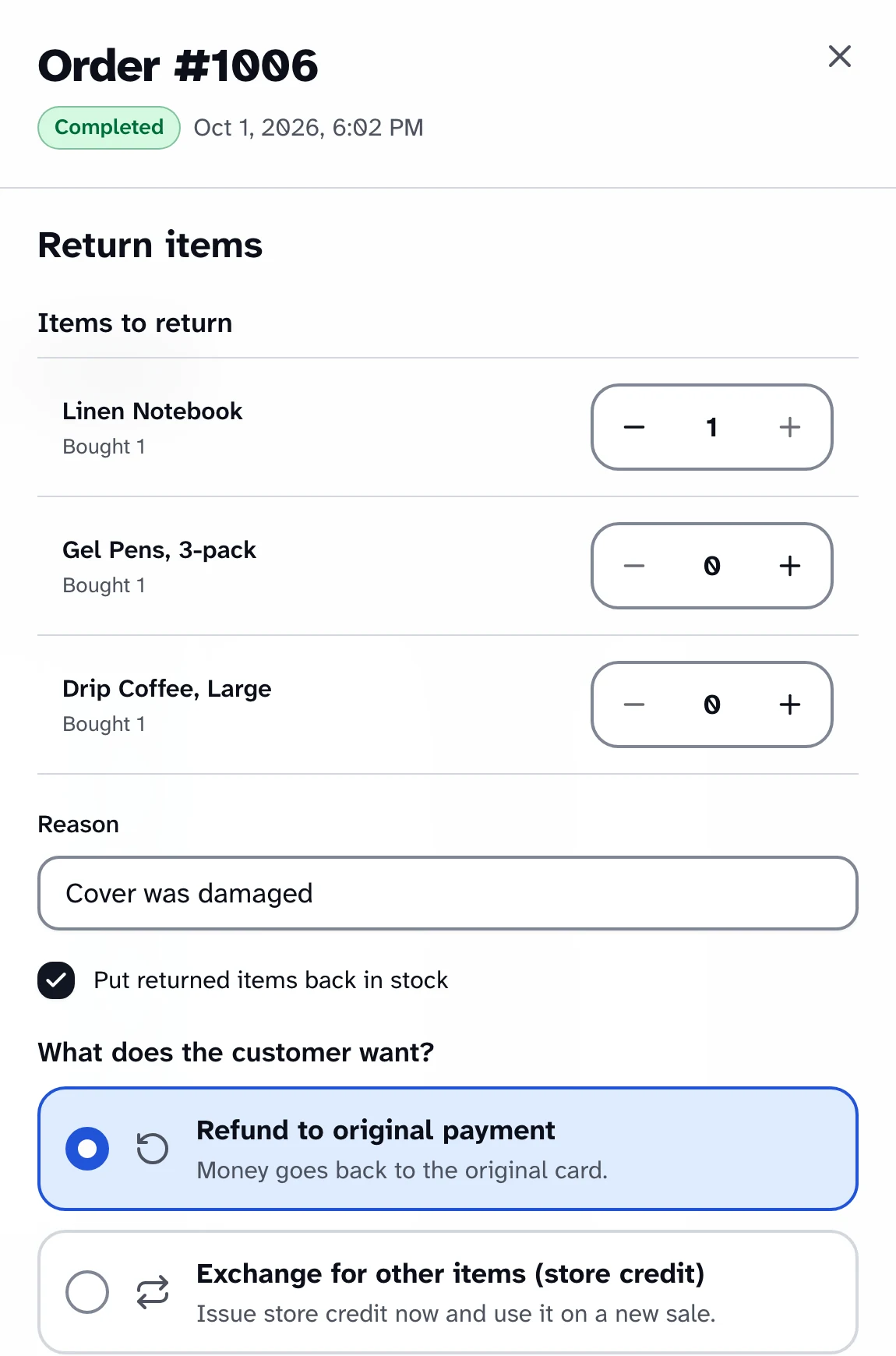
How a return and an exchange work
A return, step by step
Find the order
Search Orders by order number, email, last name or phone, and open it.
Choose what's coming back
Pick the quantity of each item, give a reason, and choose whether to restock it.
A supervisor approves
If the cashier can't give refunds, a supervisor enters their PIN on the same register.
The money goes back
Card first, then cash, then credit, exactly as it was paid.
An exchange, step by step
Exchange for other items
The returned items become store credit, with a one-time code shown once, very large.
Start exchange sale
The credit carries into a new sale and is applied before any other payment.
Settle the difference
Pay any balance as usual. If the new sale costs less, the rest goes back to the original payment.
What the cashier hears when a refund is done
“Refunded $21.00: $16.00 to Visa ending 4242, $5.00 to Cash.”
The refund screen shows the same split, including what to hand back from the drawer.
Returns
From any register order
Find the order by number, email, last name or phone, then choose Return items.
Quantities, reason and restock
Pick how many of each item, say why, and decide whether the stock goes back on the shelf.
Money goes back the way it came
Refunds go to the original payment: card first, then cash, then credit. The register says exactly how much went where.
No stranded cents
Refund a line a unit at a time and the last units take whatever is left of its total and tax.
Web orders at the counter
Return what was bought online
Staff with refund rights find a paid website order by its exact number or the customer's full email address.
Refunded the right way
The refund goes back through the order's own payment gateway, or as cash from this register's drawer.
Looked up, never browsed
There's no list of web orders to scroll through, and every lookup is recorded in the audit log.
Exchanges and store credit
Credit with a one-time code
Exchange for other items turns the return into store credit with a code like XXXXX-XXXXX, made without look-alike characters.
Shown once, big
The code appears once, very large, with Copy code and Print. Only a scrambled copy is stored.
Applied first
Start exchange sale carries the credit into the new sale, and it's used before any other payment.
Settled the same day
Credits expire at the end of the day. Spend less than the credit and the rest goes back to the original payment.
Cash and approvals
A cashier's return needs a supervisor
The supervisor approves with their PIN on the cashier's register, and the approval names where the money goes.
Open the cash drawer first
Cash refunds come out of a drawer. If none is open, the register offers to open one right there, then carries on.
From this register only
Cash comes out of this register's drawer, and only for sales made at this location. Card refunds go back to the card from anywhere.
Refunds in wp-admin, too
Refunding a credit-paid order in WooCommerce puts the money on a new credit, with its code in a private order note.
Related
- Checkout and paymentsStripe Terminal card payments, cash with change due, split payments, tax-exempt sales and receipts.
- Cash drawer and reportsFloats, blind counts, Z reports saved at close, sales reports and an audit log nobody can edit.
- Staff and approvalsRoles that fit the counter, supervisor approval with a PIN, training mode and location access.
- SellingScan, search or tap a favorite, build the cart, park a sale and find a customer, all without leaving the Sale screen.
Ring up a sale yourself.
The live demo is the real register, running in your browser with nothing to install. Turn on your screen reader and try a full sale.