Checkout that never leaves anyone guessing.
From pressing Checkout to handing over the receipt, every step states the money plainly, on screen and out loud, and nothing can be charged twice.
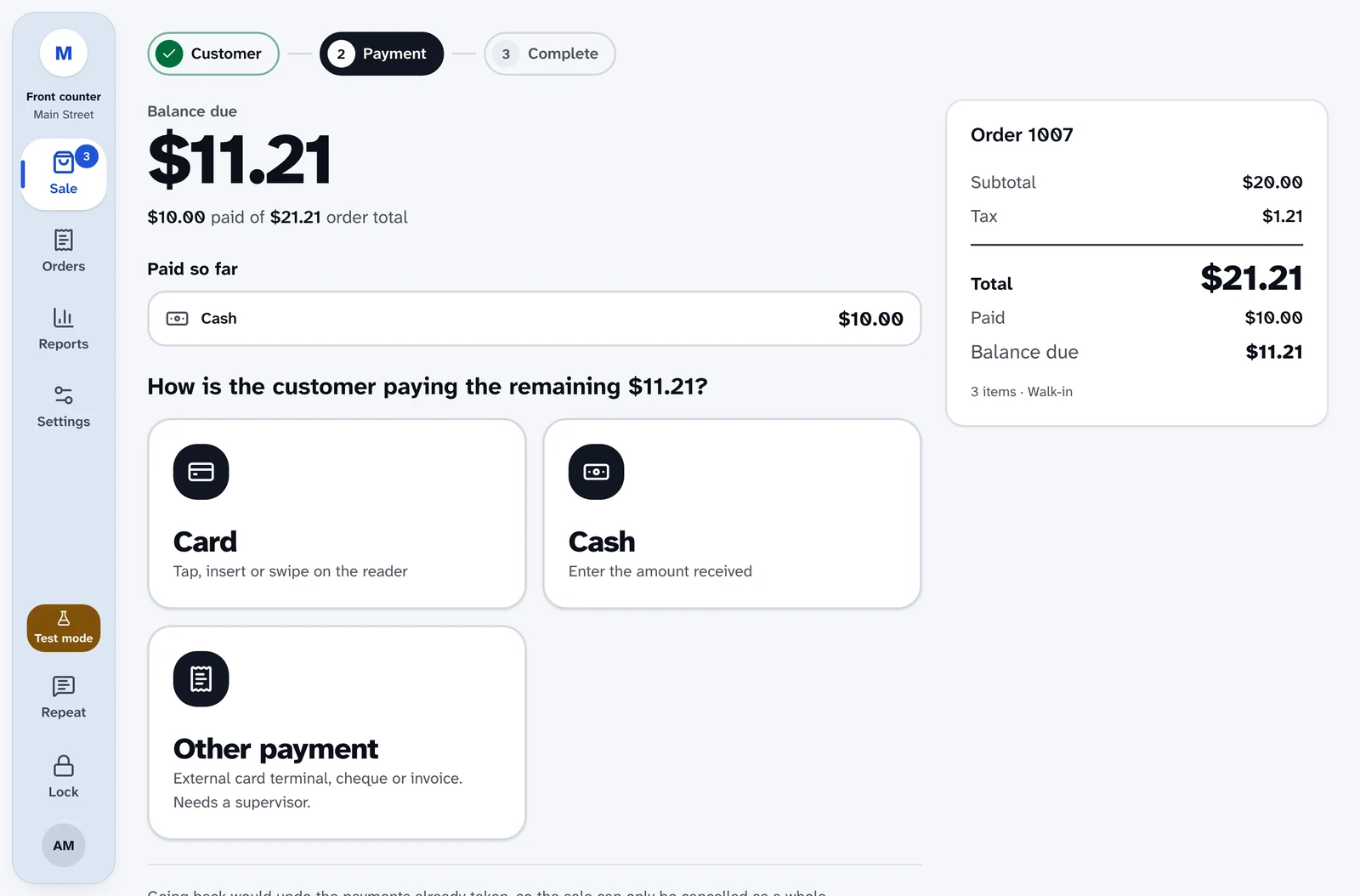
Starting checkout
One step to the customer
Press Checkout, or Alt+O. Ring up a walk-up sale or attach a customer account.
A receipt email for anyone
Walk-up customers can give an email address just for their receipt.
Notes and details in one place
Add an order note, a tax exemption, or price changes and discounts on the same step.
Leave without losing it
Go back and the order is kept unpaid, ready to resume from Orders.
Ways to pay
Card on a Stripe reader
Your site sends the payment to Stripe, and Stripe sends it to the reader. The register never connects to the reader directly. Declines are explained in plain words.
Cash with change due
Enter the amount received and the change is shown large and spoken. No drawer open? Checkout offers to open one right there.
Other payments
Record a payment taken outside the register, such as a separate terminal while Stripe is down, with a reference and a supervisor's approval.
Store credit
Credit from an exchange is applied first, and the rest is paid as usual.
Nothing to pay
A fully discounted sale completes with one button: Complete sale (nothing to pay).
Split payments
Pay part of it
Take part of the total on card or cash, or tap Half, and pay the rest another way.
Always know what's left
After each part, the balance due is shown and spoken, with a list of what's been paid so far.
Cancel cleanly
Once money has been taken, Cancel sale and refund payments hands everything back the way it came.
On the receipt
The receipt and the order list every payment.
Discounts, coupons and tax
Coupons checked before payment
Codes are checked before they're added, and usage limits are checked again before any money is taken.
Approval where it counts
Cashiers need a supervisor's PIN for price changes, discounts and coupons, unless you allow certain codes without approval.
Tax-exempt sales
Enter the organization and its exemption certificate. Tax comes off every line, and the exemption is recorded on the order and the receipt.
Receipts and the cash drawer
Print or email
Print from the done screen or from any order, or email the receipt to the address on file or one the customer gives you.
Star and Epson receipt printers
Star CloudPRNT and Epson Server Direct Print printers, on 80mm or 58mm paper. Print automatically when a sale is paid, if you like.
The drawer opens when it should
For cash sales, paid in, paid out, no sale and cash refunds. Never for a training sale.
Confirmed out loud
"Receipt printed" and "Drawer opened" are shown and spoken. If the printer doesn't answer, you can print on the device instead.
Your store, your receipt
Set the receipt header and footer. Chip card details, tax exemptions and every payment appear when they apply.
The customer's view
The sale on the card reader
Readers with a customer screen, such as the Stripe Reader S700, can show each item, the tax and the total as checkout starts.
Never in the way
Checkout never waits for the display, and it's skipped if the reader is offline.
Built not to make mistakes
No double charges
Every order, payment and refund is protected against being sent twice. Taking cash cancels any card attempt still waiting.
Checked before it's captured
An approval only holds the money. Your site checks the amount, currency and order before taking it, and a mismatch cancels the payment.
Recovers on its own
If the page reloads while a card is on the reader, checkout picks up where it was. It never charges twice.
Money is never ambiguous
Totals, change due and payment state are always stated plainly, on screen and out loud.
Made for screen readers and keyboards
Focus goes where you need it
Choose Cash and focus moves to Amount received. Choose Card and it moves to the card step. Go back and you're on the payment question again.
Spoken once, clearly
Reader prompts, balances, change due and printer results are announced once, in plain words.
PINs stay private
When a supervisor approves, screen readers hear "4 of 6 digits entered", never the digits.
Shortcuts for every step
Alt+O for checkout, Alt+C for cash and Alt+R for card.
Ring up a sale yourself.
The live demo is the real register, running in your browser with nothing to install. Turn on your screen reader and try a full sale.