The accessible point of sale for WooCommerce
Ring up a sale without seeing the screen.
A register built from day one for blind and low-vision staff who use screen readers like JAWS, NVDA and VoiceOver. It’s just as fast for everyone else at the counter, and it runs on the WooCommerce store you already have.
Built by Prolific Digital with American Printing House for the Blind.
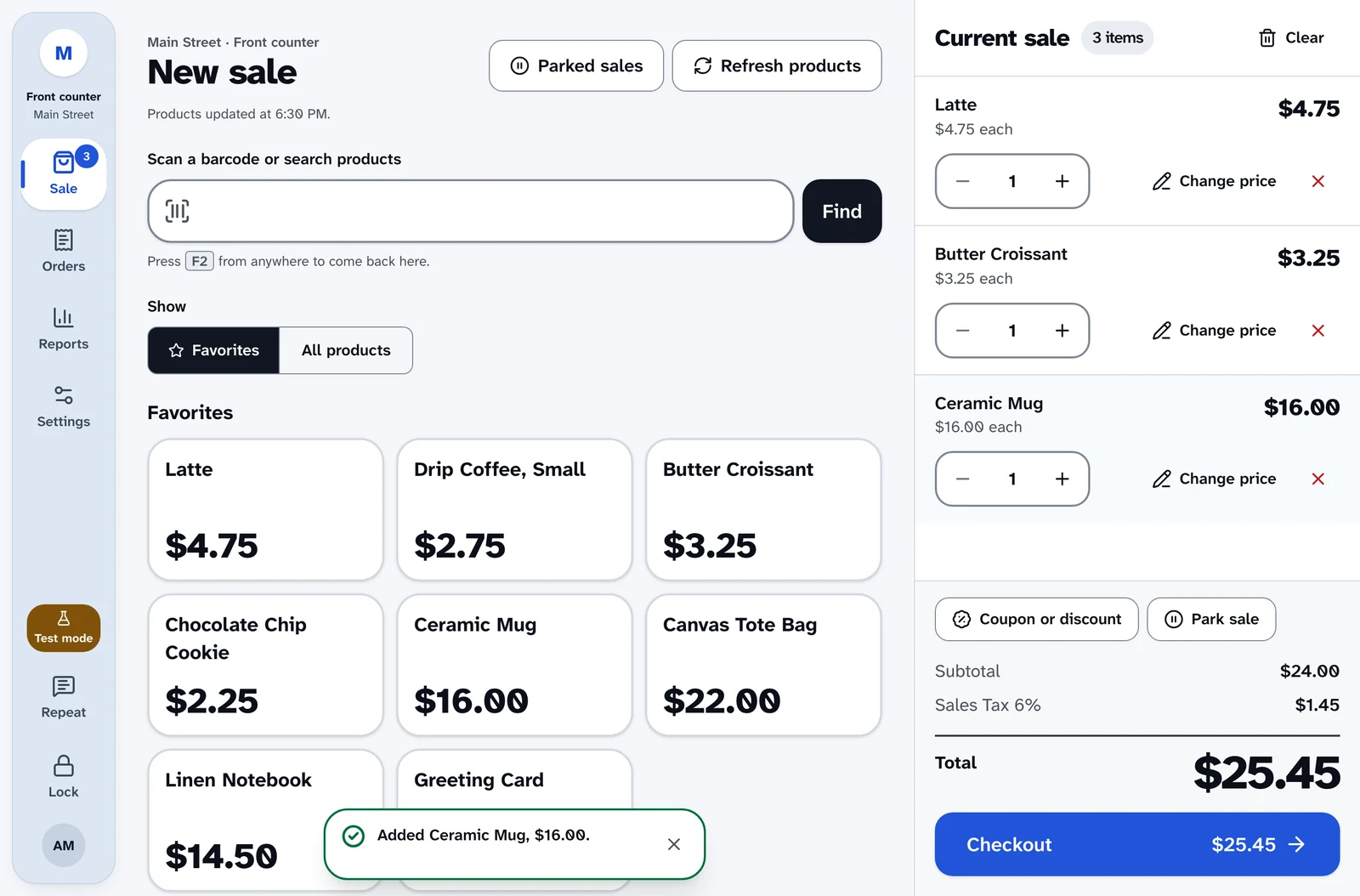
We went looking for an accessible register. We couldn’t find one.
We’ve worked with WooCommerce for more than 10 years. None of the point of sale systems we found could be run by a blind cashier from start to finish, and none were made to be built on. So we built the one we kept wishing we had.
Accessibility that survives the next update
On the registers we worked with, we fixed labels, focus and announcements ourselves, and the next plugin update overwrote every fix. Accessibility you have to keep putting back isn’t accessibility.
Here it’s part of the register itself. It’s designed in from the first screen, and automated accessibility checks cover every screen and dialog, so an update can’t quietly take it away.
Built on the hooks WordPress is built on
Most registers give you very little to build on. Ours uses the same actions and filters as WordPress itself, with more than 30 documented hooks and a JavaScript API for adding screens to the register.
We hold ourselves to it, too. Training mode, receipt printing and the card reader display all run on the same hooks your own plugin would use, so anything we can add to the register, you can too.
add_action( 'woopos_order_paid', function ( $order, $ctx ) {
    my_loyalty_add_points(
        $order->get_customer_id(),
        $order->get_total()
    );
}, 10, 2 );
Designed for the screen reader, not patched for it.
Most registers treat accessibility as a setting. Here, the non-visual path is the main path, and every screen is checked against WCAG 2.2 AA, with AAA contrast wherever it’s practical.
Everything about accessibility- Designed for JAWS, NVDA and VoiceOver
- Every flow, from the first scan to the receipt, is designed for screen readers, so a blind cashier can run the register without a sighted colleague.
- Announcements that state the money
- Scans, cart changes, payment state, change due and errors are spoken once, in plain words. Nobody has to hunt for the total.
- 200% text that still fits
- The sale screen switches from side by side to stacked as text grows, so nothing clips and nothing scrolls sideways, up to 400% zoom.
- High contrast built in
- A black, white and yellow theme, plus Windows forced colors and reduced motion. Status always has an icon and words, never color alone.
- Keyboard all the way
- F2 jumps to scan from anywhere. Full sales, split payments, exchanges and the approval PIN pad all work without a mouse.
- Targets sized for a busy counter
- Touch targets of 44 to 64 pixels, 18px text in every field, and one solid focus ring you can see across the room.
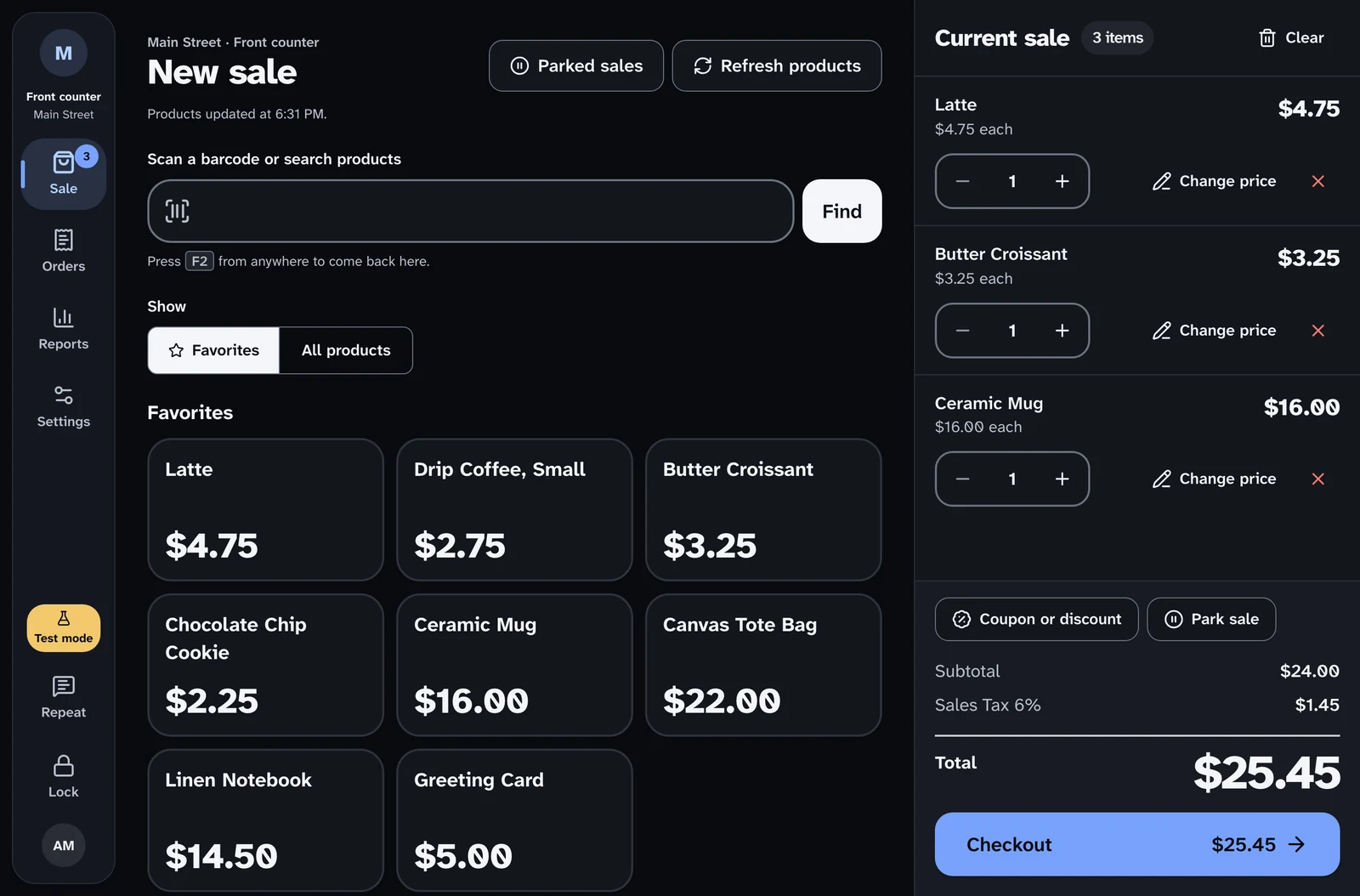
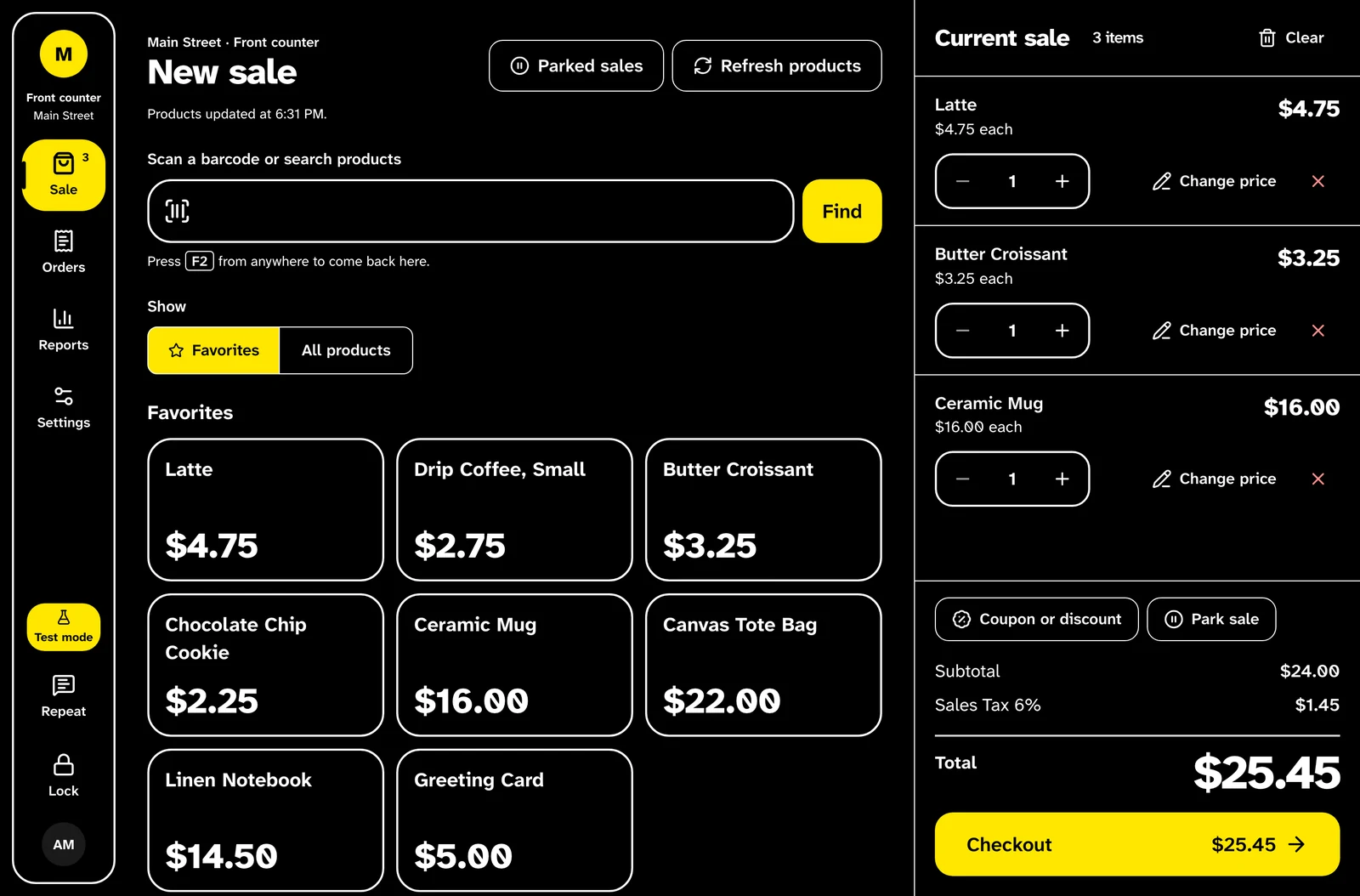
Everything the counter needs, and nothing that slows the line.
The most common sale is scan, pay, done. The rest is there when a supervisor needs it.
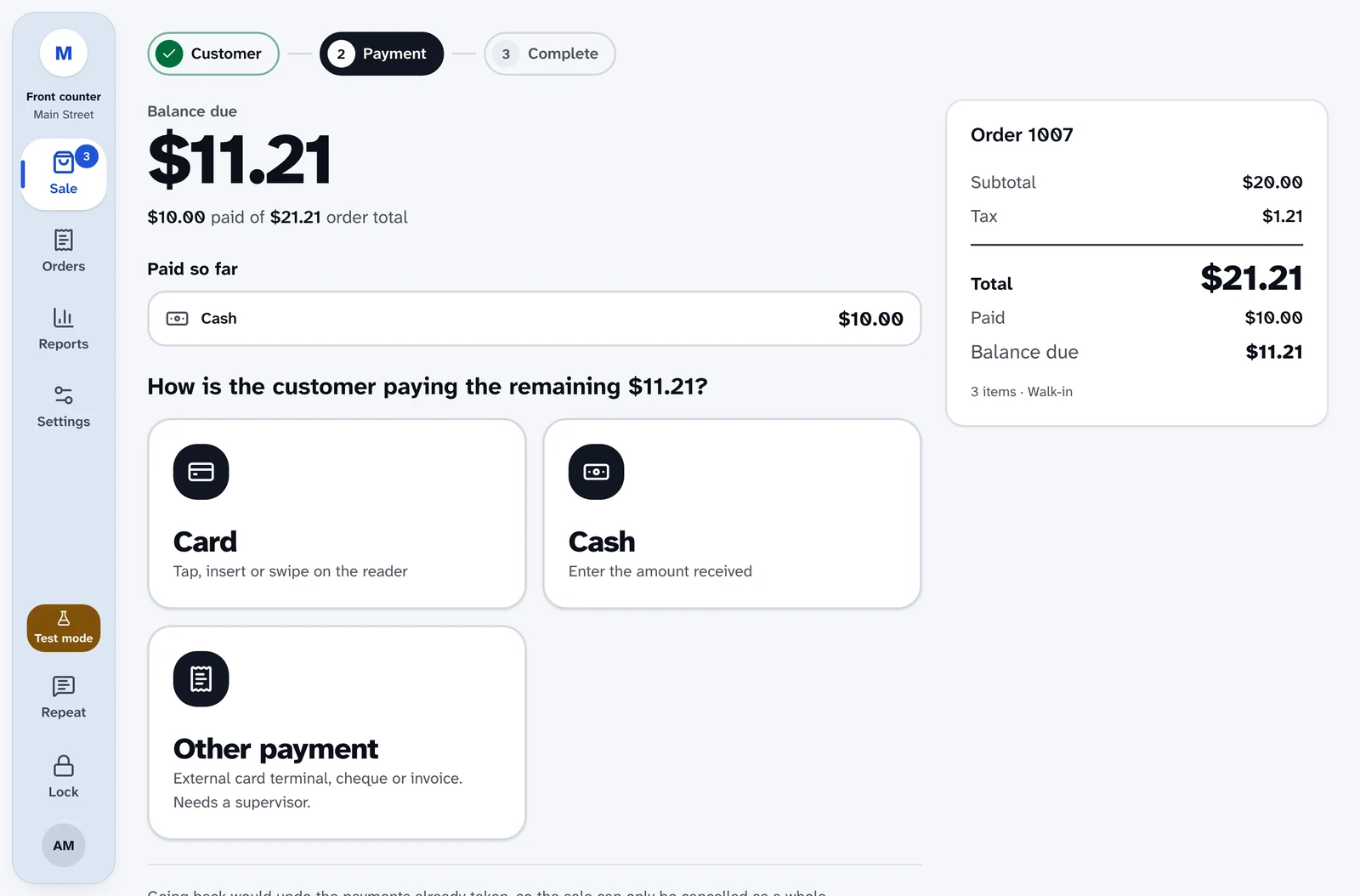
Selling
- Scan or search, including variations and GTIN, UPC and EAN barcodes
- Favorites as big tiles, set per location
- Park a sale and pick it up later
- Coupons, and customer lookup by name, email or phone
Payments
- Cards through Stripe Terminal readers such as the S700 and S710
- Cash with change due, worked out for you
- Split one sale across card, cash and store credit
- Tax-exempt sales, recorded on the order
Returns
- Find any order and return or exchange items
- Return web orders at the counter
- Exchanges issue same-day store credit
Cash and reports
- A cash drawer per register, with float, paid in and paid out
- Blind counts and over or short at close
- A Z report saved when the drawer closes, plus sales reports
Staff
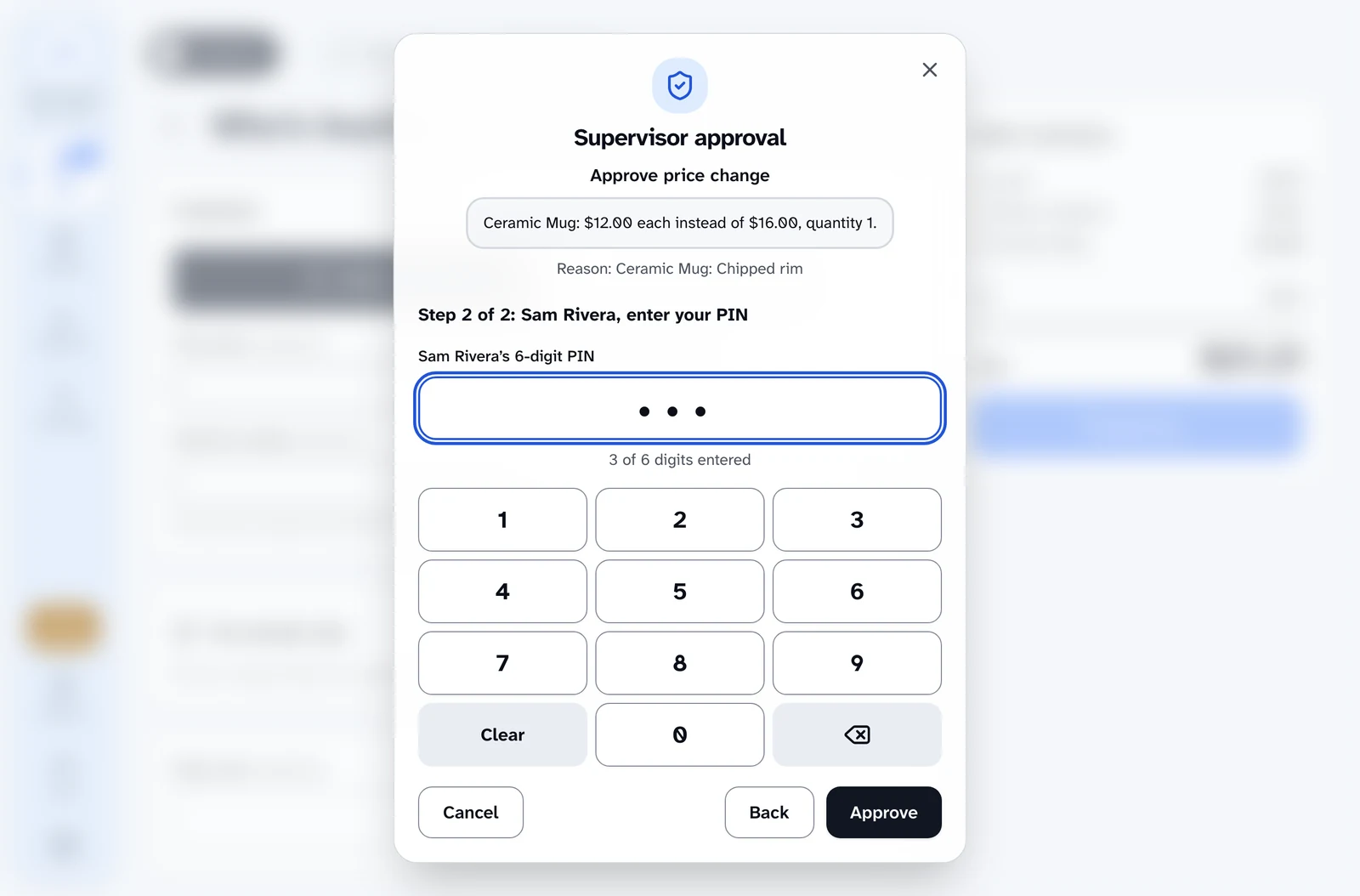
- Supervisors approve price changes and returns with a PIN on the cashier's register
- A cashier role that can sell, and nothing more
- Training mode, kept out of reports, drawers and stock
Devices
- Installs like an app on iPad, Android and desktop
- Star CloudPRNT and Epson receipt printers that open the cash drawer
- Several locations and registers, each with its own reader and printer
The server decides what everything costs.
A register is a shared device on a busy counter. So nothing the browser sends can set a price, choose a register or approve a refund. And because Stripe processes every card, card numbers never touch your site.
Card data never touches your site
Card details go from the Stripe reader straight to Stripe, a PCI DSS Level 1 provider. They're never stored in the register or in WooCommerce, and the Stripe secret key never reaches the browser.
The server prices every line
The register never decides what something costs or whether an order is paid. Every line is repriced on the server.
Approvals cover exactly what was shown
A supervisor's PIN approves one action, for one amount, on one register, for two minutes. Change anything and it's refused.
No double charges
Every order, payment and refund carries an idempotency key and takes a lock, so a retry can't charge twice.
A locked register stays locked
The idle lock is held on the server, and it locks the whole login, not just the screen.
Everything is on the record
Overrides, approvals, cash movements and lockouts go into an audit log nobody can edit.
Your store stays the system of record.
Products, stock, tax, orders, customers and refunds are ordinary WooCommerce data. There’s no second catalog to sync and no separate back office to learn.
Moving from FooSales? You keep what worked, WooCommerce as the register and Stripe Terminal readers, and gain a register your whole team can use.
How it’s built on WooCommerce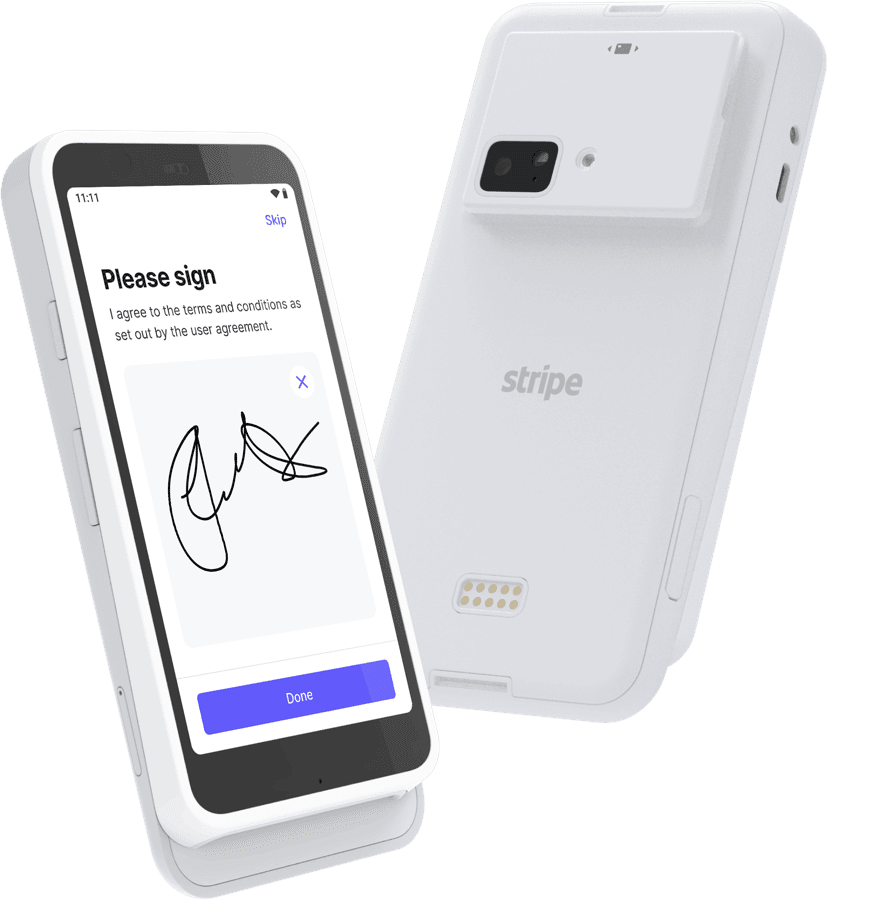
Works with
- WordPress
- Current release (6.5 minimum)
- WooCommerce
- Current release (9.0 minimum), with HPOS
- PHP
- 8.1 to 8.4
- Database
- MySQL 5.7+ or MariaDB 10.3+
- Card payments
- Stripe Terminal, with more providers to come
- Printers
- Star CloudPRNT, Epson Server Direct Print
Shaped with the people it’s for.
Prolific Digital built this point of sale with American Printing House for the Blind (APH) for the shop and front desk of APH’s new museum, where some of the people at the register are blind or have low vision.
Then we made sure it works for any WooCommerce store: a gift shop, a café, a bookstore or a box office. Because a register that works without the screen also works better with it.
Questions, answered.
Licensing, setup, hardware, and what it’s like to run the counter.
Talk to the people who built it
Send us a question before or after you buy. It goes straight to the team at Prolific Digital.
Contact usLicensing and setup
Who can use it?
Any business with a WooCommerce store and a license. A gift shop, a café, a bookstore, a box office or a museum front desk all work the same way. Nothing in the register is tied to one kind of business, and it shows your store's own name.
How is it licensed?
It's a paid plugin, licensed per location. Contact us for pricing. A license covers one location, and while it's active you get every update and every new feature as it's released, for the current release of WordPress and WooCommerce.
Is setup self-service?
Yes. You install the plugin, connect your Stripe account and set up your location and registers from wp-admin. If you get stuck, send us a message through the contact form.
Which versions of WordPress and WooCommerce does it support?
The latest releases, and we keep pace with new ones as part of your license. The minimums are WordPress 6.5, WooCommerce 9.0 and PHP 8.1. It supports WooCommerce's high-performance order storage (HPOS).
Accessibility
Which screen readers is it designed for?
It's designed for the screen readers cashiers actually use: JAWS and NVDA on Windows, and VoiceOver on iPad and Mac. It's built on standard, well-labeled controls rather than tricks for one screen reader, so every flow, from the first scan to the receipt, follows the same rules. That includes split payments, returns and exchanges, and the supervisor's PIN pad.
Do my staff need to use a screen reader to benefit?
No. The things that make it work without the screen also make it faster with one: big totals you can read across the counter, a single key (F2) to get back to scanning, and plain answers to "how much" and "is it paid". Staff can choose light, dark or high contrast, and set their own text size.
What standard does it meet?
WCAG 2.2 AA at minimum, with AAA contrast wherever it's practical. Every screen and dialog is scanned automatically, including in high contrast at 200% text, and it supports Windows forced colors and reduced motion.
Setting up
What hardware do I need?
An iPad, Android tablet or computer with a current browser. For cards, a Stripe Terminal smart reader such as the Stripe Reader S700 or S710. The hardware page lists every reader that works. Optionally, a USB or Bluetooth barcode scanner, and a Star CloudPRNT or Epson receipt printer, which also opens the cash drawer.
Do I need Stripe?
For card payments, yes. Today the register is tested only with Stripe Terminal, and support for more payment providers will come later. You can also take cash, record a payment taken on a separate terminal, and split one sale across card, cash and store credit.
What about PCI compliance?
Cards are processed by Stripe, a PCI DSS Level 1 certified provider, the highest level there is. Card details go from the Stripe reader straight to Stripe and are never stored in the register or in WooCommerce, which keeps your store's PCI scope as small as it can be. Stripe guides you through the short self-assessment every business that takes cards completes each year.
Does it work offline?
No. The register needs a network connection, because the server checks every price and payment. It installs like an app on iPad, Android and desktop, but it isn't an offline register.
We use FooSales today. Can we switch?
Yes. Your products, stock, orders and customers are already WooCommerce data, so there's nothing to migrate for the register itself. You keep your Stripe Terminal readers.
Running the counter
Can new staff practice without affecting real sales?
Yes. Turn on training mode for a register or a person. Practice sales are kept out of reports, cash drawers and stock, can't take real money, and are cleared after seven days.
Who can change prices or give refunds?
You decide. Cashiers can sell and nothing more. Price changes, discounts, returns and tax exemptions need a supervisor, who can approve them with a PIN on the cashier's register, without logging the cashier out.
Can developers extend it?
Yes. Other plugins can add screens and register features through a public PHP and JavaScript API, and the register's security rules apply to them too.
Ring up a sale yourself.
The live demo is the real register, running in your browser with nothing to install. Turn on your screen reader and try a full sale.