Every dollar accounted for.
Cash drawers with blind counts, Z reports that never change after closing, and sales reports your supervisors can trust.
The cash drawer
Open with a float
Start each shift with a float. Cash sales and cash refunds need an open drawer.
Paid in, paid out, no sale
Every cash movement needs a reason. Paid out and no sale need a supervisor's approval unless you have refund rights.
Count by bills and coins
Close with the counted total, or count by each bill and coin.
Over and short, in words
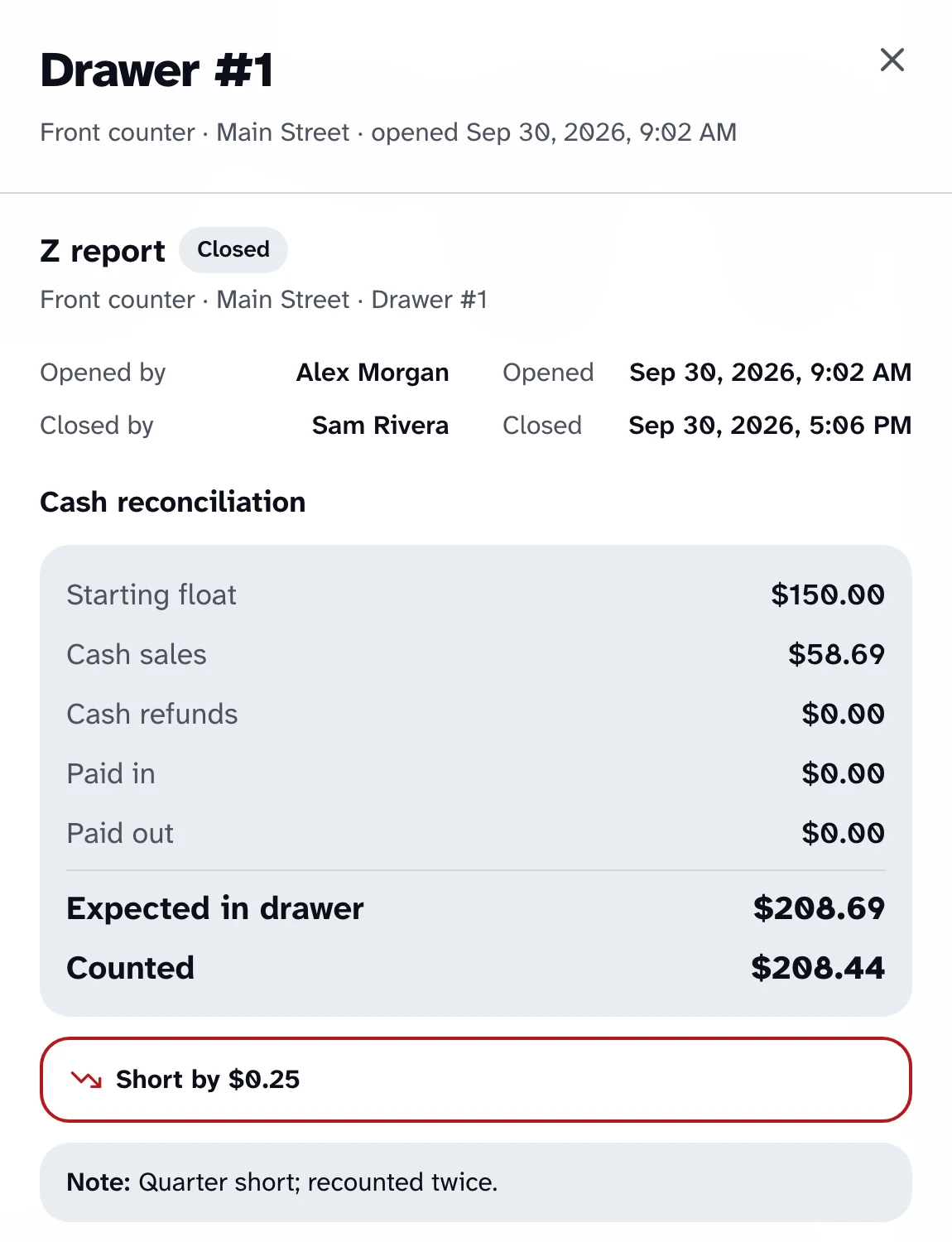
The difference is stated plainly, like "Short by $1.00", never by color alone.
Close it from anywhere
Supervisors can close another register's open drawer from Reports or wp-admin.
Blind counts
Count without a target
While a drawer is open, cashiers see the float but not the expected cash. The figures appear after closing.
Hidden on the server
The expected amount is withheld by the server, not just hidden on screen, so it can't be worked out from the Orders list either.
Supervisors see it all
Supervisors and managers see the expected cash at any time.
Z reports
Saved at close
Closing a drawer produces its Z report, saved there and then.
Never rewritten
A late card payment or a refund never changes a closed drawer's report.
Every payment method
Card, cash and other payments each have their own line, with every cash movement listed.
Ready to print
Print the Z report on a full page for your records.
Sales reports
Filter it your way
By date, location, register and cashier, in your store's time zone.
The numbers that matter
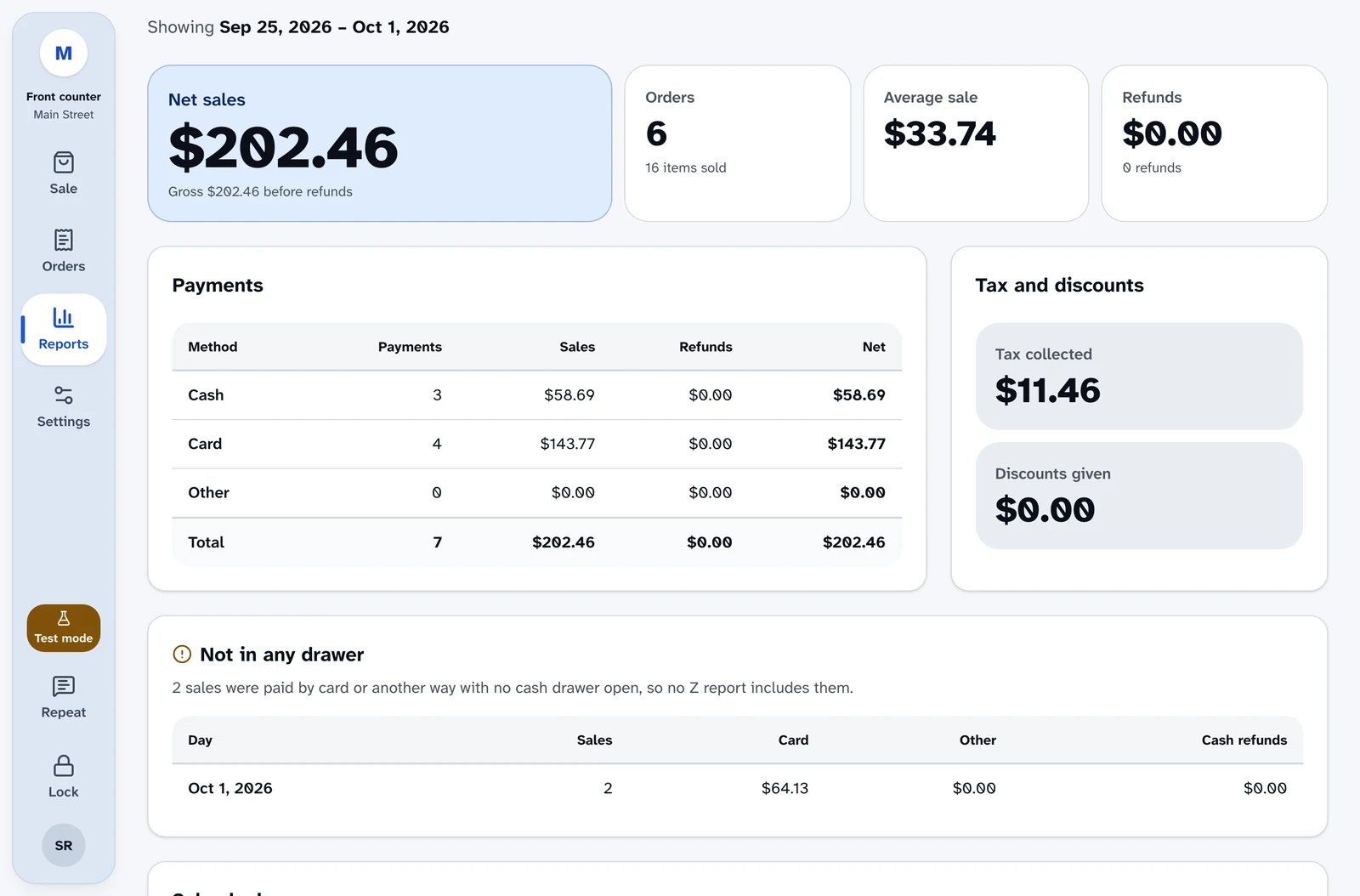
Net sales, orders, average sale, refunds, tax, discounts and tax-exempt sales.
Who sold what
A payments table, your top products and sales by cashier.
Charts that screen readers can read
The hourly chart has a table version, and screen readers always get the table.
Recent drawers
Every recent drawer, each with its own report.
Nothing slips through
Card and other payments taken with no drawer open, and cash refunds given in wp-admin, are listed on their own.
The audit log
A record nobody can edit
Each entry records who did what, on which register and when.
What it records
Approvals granted and refused, PIN lockouts and changes, failed card attempts, parked sales, web-order lookups and more.
Kept for a year
Entries are kept for 365 days by default.
Who sees what
Reports for supervisors
Only people with report access can open sales reports. Cashiers can't.
Scoped to locations
A manager limited to some locations only sees figures for those locations.
Training stays out
Practice sales never appear in reports, drawers or expected cash.
Today at a glance
The wp-admin overview shows today's register sales and failed card attempts for your locations.
Ring up a sale yourself.
The live demo is the real register, running in your browser with nothing to install. Turn on your screen reader and try a full sale.